
On This Page
Real-Time Memory Monitoring
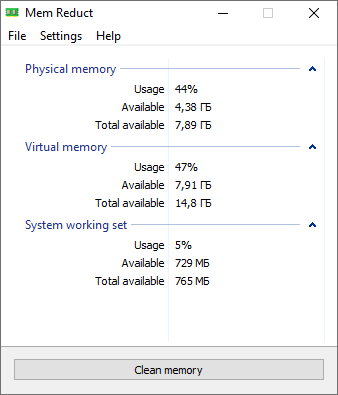
Mem Reduct provides continuous system monitoring directly from the system tray icon. View live statistics for total physical memory, used memory, free memory, and detailed breakdowns of memory regions without opening Task Manager.
What You Can Monitor
- ● Used Memory: RAM currently allocated to active processes and system operations
- ● Free Memory: RAM immediately available for new tasks and applications
- ● System Cache: Temporary files and cached data that bloat memory usage
- ● Standby List: Cached memory reserved but no longer required by active processes
- ● Modified Page List: Memory pages pending write operations that hog RAM
- ● Pagefile Information: Virtual memory usage and paging statistics
The tray icon color changes based on memory pressure, giving you at-a-glance awareness. Hover for quick stats or click to open the full dashboard. See our monitoring guide for setup tips.
Memory Region & Process Inspection
While Mem Reduct focuses on system-level memory management rather than per-process termination, it delivers deep process inspection capabilities for memory allocation. Identify which memory regions are consuming resources and understand how Windows distributes RAM across your workload.
Inspection Capabilities
- ● System Working Set analysis for kernel and driver memory usage
- ● Working Set inspection for currently active process memory
- ● Standby Page List breakdown showing reclaimable cached memory
- ● Modified Page List tracking for pending disk write operations
- ● Modified File Cache cleaning (added in v3.5.2)
- ● Registry Cache cleaning on Windows 8.1 and newer
This level of inspection goes beyond what Windows Task Manager exposes, making Mem Reduct a powerful system monitor for memory-specific diagnostics. Learn more in our memory regions guide.
Advanced Permissions & Native API Access
Mem Reduct requires administrator rights to perform memory cleanup operations. This is by design: clearing system cache, standby lists, and modified page lists requires elevated access to Windows Native API functions that standard user processes cannot invoke.
Why Administrator Access Is Required
- ● Native API calls to NtSetSystemInformation for memory list management
- ● Access to undocumented internal system features for cache clearing
- ● Secure operation within Windows memory management protocols
- ● No permanent system modifications; permissions used only during cleanup
Mem Reduct requests elevation once at startup when configured to run as administrator. Portable deployments on USB drives can use the same elevated permissions model. Read about safe usage in our trust and security policy.
Performance Insights & Analytics
Mem Reduct delivers actionable performance insights before and after every cleanup operation. See exactly how much memory was reclaimed and which regions contributed to the recovery.
Documented Performance Results
- ● Up to 40% reduction in system cache during manual cleanups
- ● Frees 1.5 GB or more RAM on average on mid-tier systems
- ● Variable recovery of 10% to 50% depending on system state
- ● Compatible with systems from 512 MB to 64 GB RAM
- ● 25% faster app loads reported by users over 6 months of regular use
- ● 20% fewer crashes on systems previously running at 90% RAM usage
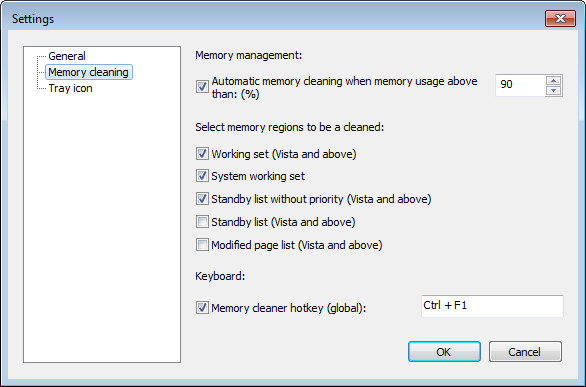
Configure automatic cleaning with threshold triggers (e.g., clean when usage exceeds 80%) and timed intervals (every 30 minutes) for hands-free optimization. See the automatic cleaning setup guide.
Configuration, Hotkeys & Integration Support
Mem Reduct offers extensive customization that extends its capabilities beyond basic cleanup, functioning as a flexible system tool integrated into your workflow.
One-Click Memory Cleanup
Instantly purge system cache, standby lists, and modified page lists from the tray menu or main window. No restart required. Results visible immediately in the memory statistics panel.
Manual cleanup guide →Automatic Memory Cleaning
Set memory usage thresholds (e.g., 70% or 85%) and cleaning intervals. Mem Reduct runs silently in the background, maintaining optimal performance without manual intervention.
Auto-clean setup →Hotkey Quick Access
Assign global hotkeys for instant memory cleanup without navigating menus. Ideal for gamers who need to free RAM mid-session or developers switching between heavy applications.
Hotkey configuration →Portable Mode
Create memreduct.ini in the application folder or move settings from %APPDATA%\Henry++\Mem Reduct to enable fully portable operation from USB drives or network shares.
Portable mode guide →Dark Theme & Localization
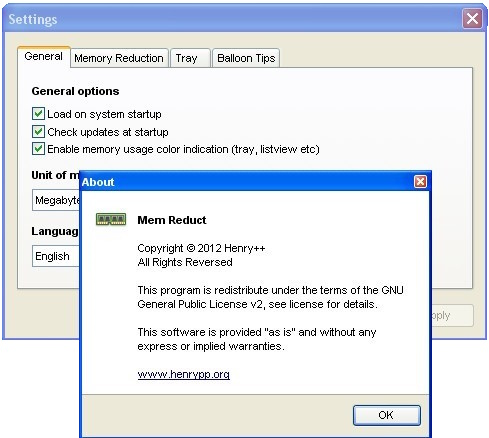
Improved dark theme support in v3.5.2 with updated localization for multiple languages. Personalize the interface to match your system preferences and regional settings.
Settings overview →Startup & Tray Integration
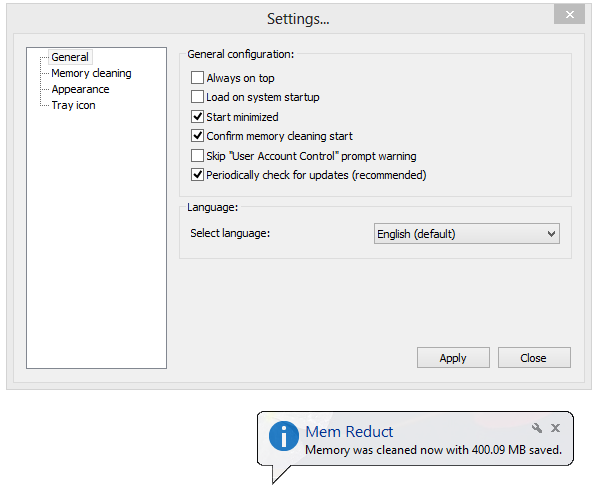
Launch Mem Reduct with Windows for continuous monitoring. Minimize to system tray and configure balloon notifications for cleanup events. Pair with performance monitors for comprehensive system oversight.
Startup configuration →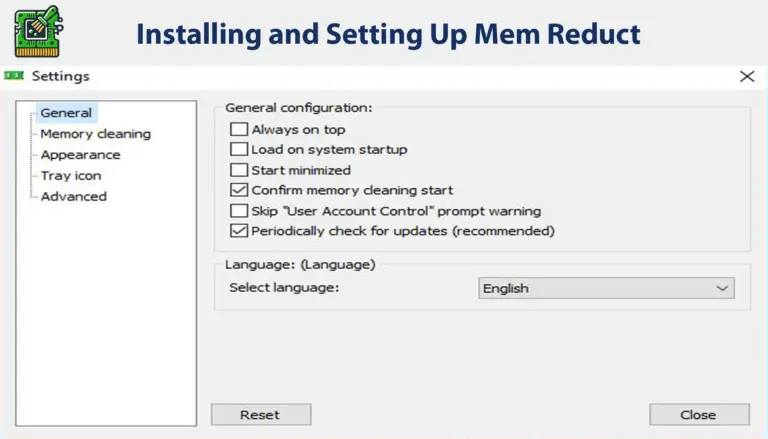
Memory Compression & Targeted Cleanup
Mem Reduct uses targeted cleanup techniques focusing on memory regions that commonly cause performance bottlenecks. On moderately used systems, targeted cleanup can free approximately 1 GB of RAM. Memory compression of inactive data can reclaim up to 30% of RAM for active tasks, especially beneficial during video editing, large-scale multitasking, and high-end gaming sessions.
Custom configuration lets you prioritize specific memory areas, exclude critical applications like antivirus software from cleanup scope, and set notification preferences for every optimization event.
Experience Every Feature
Download Mem Reduct v3.5.2 and configure it for your workflow in minutes.
Get Started